
Often your agents will need to perform a series of tasks - such as reproducing an error within 24 hours, or downloading issue logs - before they can resolve and close a ticket. Freshdesk allows agents to maintain a To-Do list within each ticket, to ensure that they don't miss out on any task. Once they're done with a task, it can be marked as completed.
Agents can also maintain a personalized To-Do list of tasks on the dashboard. Unlike the To-Do list within each ticket, which any agent who has access to the ticket can view, the To-Do list on your dashboard is visible only to you.
A quick guide for creating and accessing the to-do list within the ticket
- Click on any ticket from the Ticket List view page or Dashboard to see its details.
- Click on To Do.
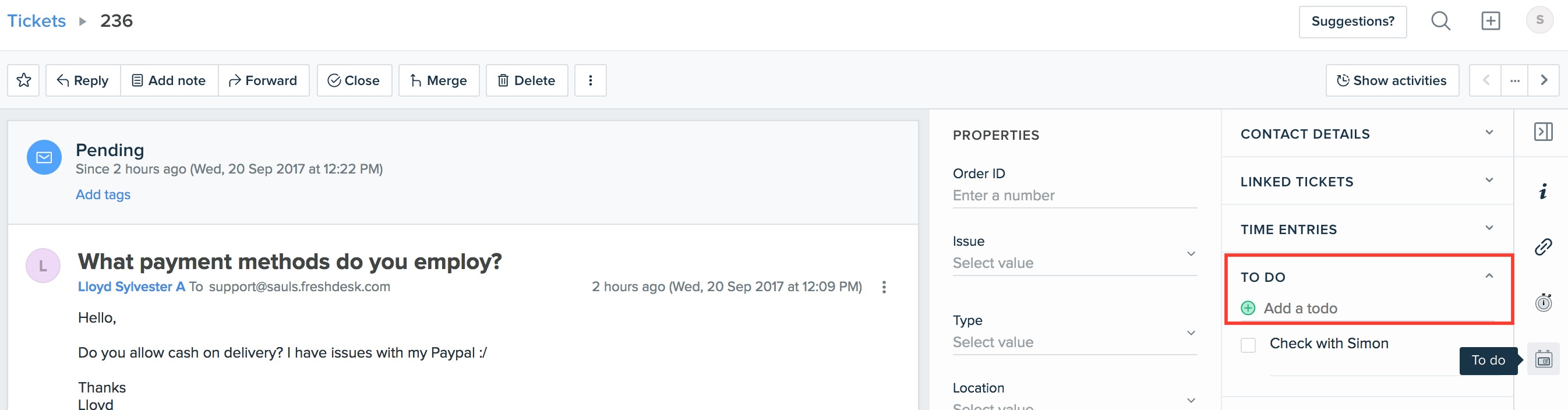
- Type the entry in the text box under Tickets To-Do and press Enter; the entry will be added to this particular ticket.
- You can edit or delete a particular task entry by clicking on Edit or Delete.
- Once you've finished a particular task, select the checkbox next to it to mark it as done.
A quick guide for creating and accessing the To-Dos from the Dashboard
- On the Dashboard, enter a task into the text box shown under Add a to-do and press Enter.
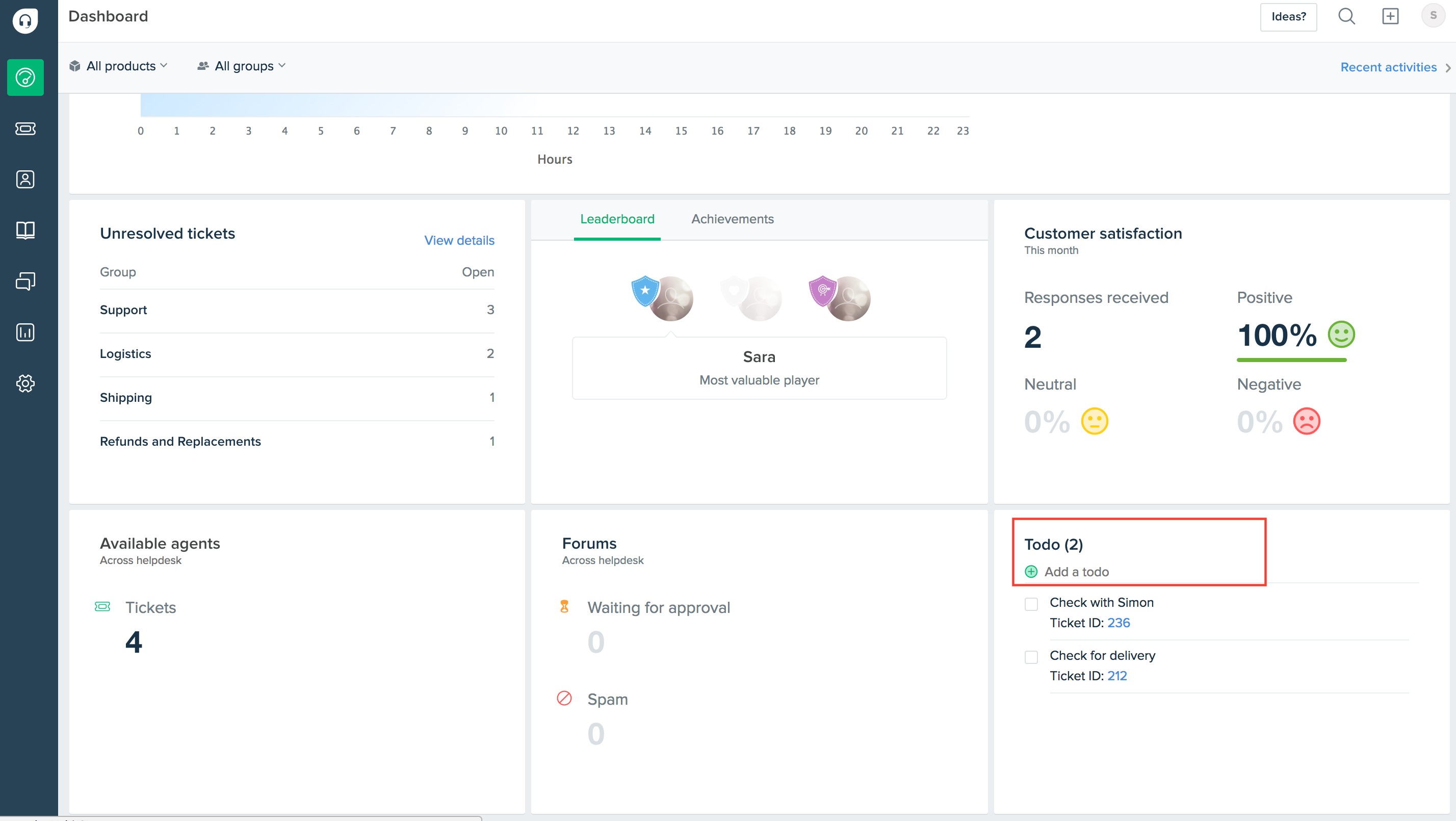
- The entry will be added to the list of to-dos in the helpdesk, which is displayed on the Dashboard.
- You can edit or delete a particular task entry by clicking on Edit or Delete.
- Once you've finished a particular task, select the checkbox next to it to mark it as done
Note: If the to-do task is created from within a ticket, the task is linked to the corresponding ticket in the Dashboard's To-Do list. Tasks created directly from the dashboard are not linked to tickets.