
- Navigate to the Users page in the Azure Portal: https://portal.azure.com/#view/Microsoft_AAD_UsersAndTenants/UserManagementMenuBlade/~/AllUsers
- Select User by Name
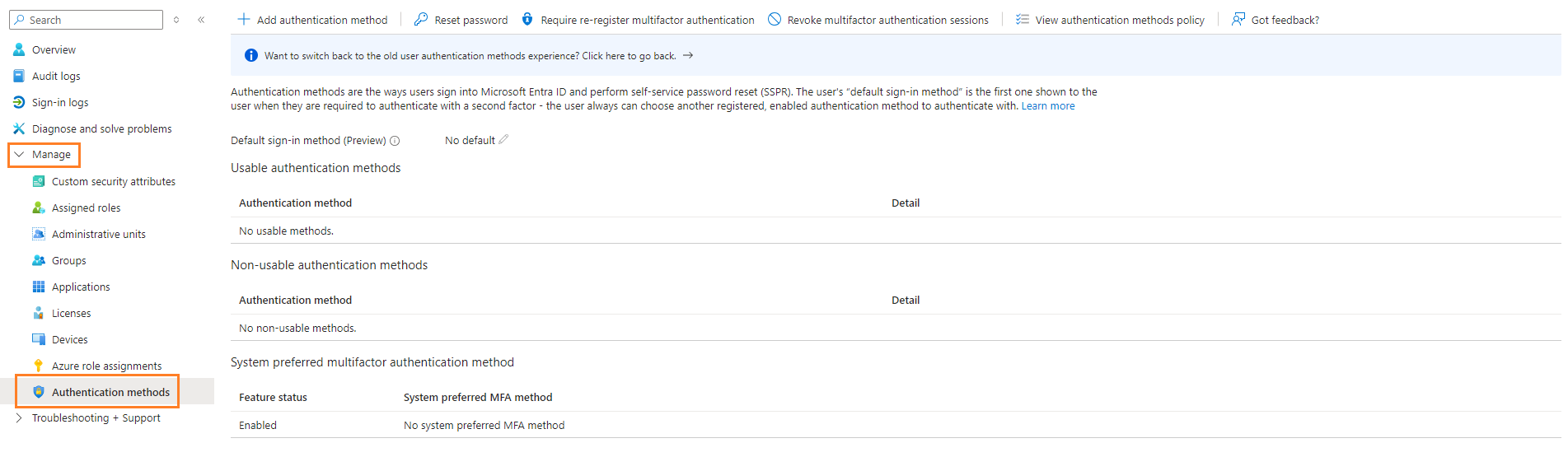
- Expand Manage, and click Authentication methods
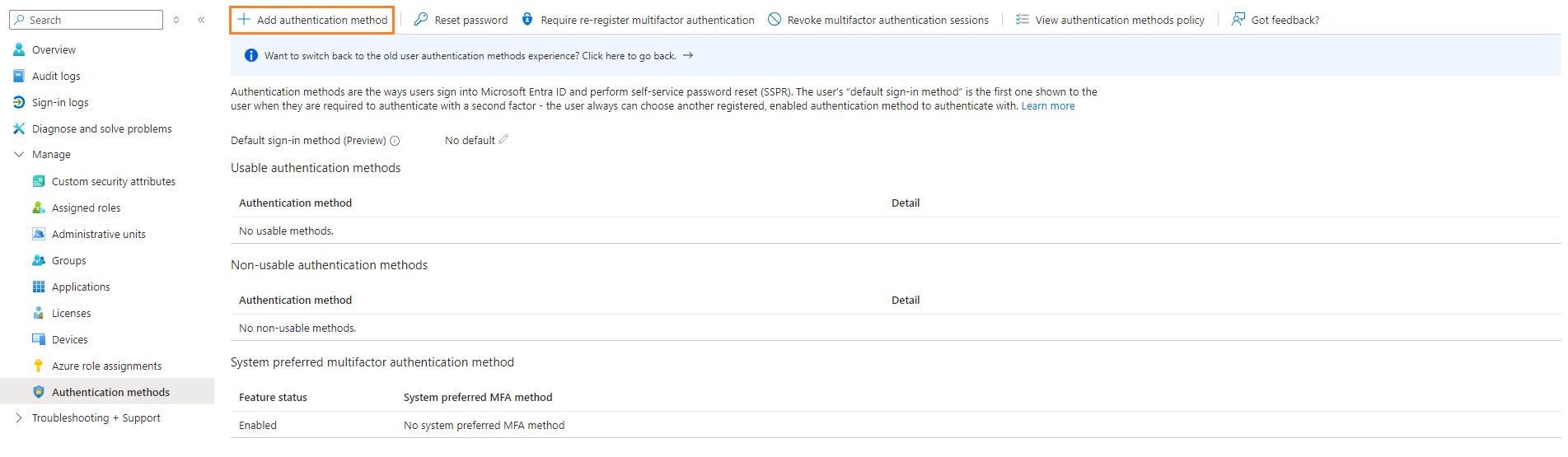
- Click + Add authentication method
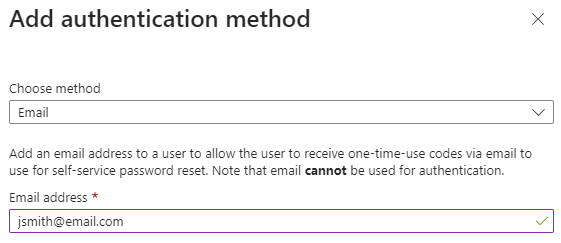
- Add users personal email address (not company). This will be used if they get locked out of their company account. Click Add when done.
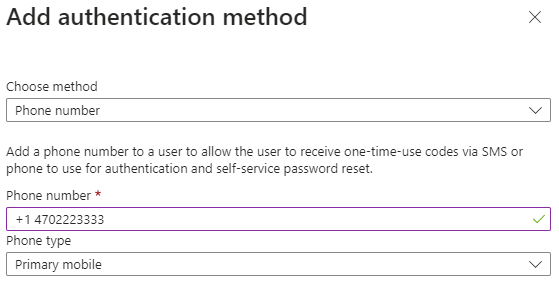
- Add users personal cell phone number (not company). This will be used if they get locked out of their company account. Click Add when done.
- User will now have 2 authentication methods they can use during their initial sign in.

Microsoft Office 365 - Adding Authentication Methods (MFA) Print
Created by: Odell Duppins
Modified on: Thu, Aug 22, 2024 at 2:12 PM
Did you find it helpful? Yes No
Send feedbackSorry we couldn't be helpful. Help us improve this article with your feedback.