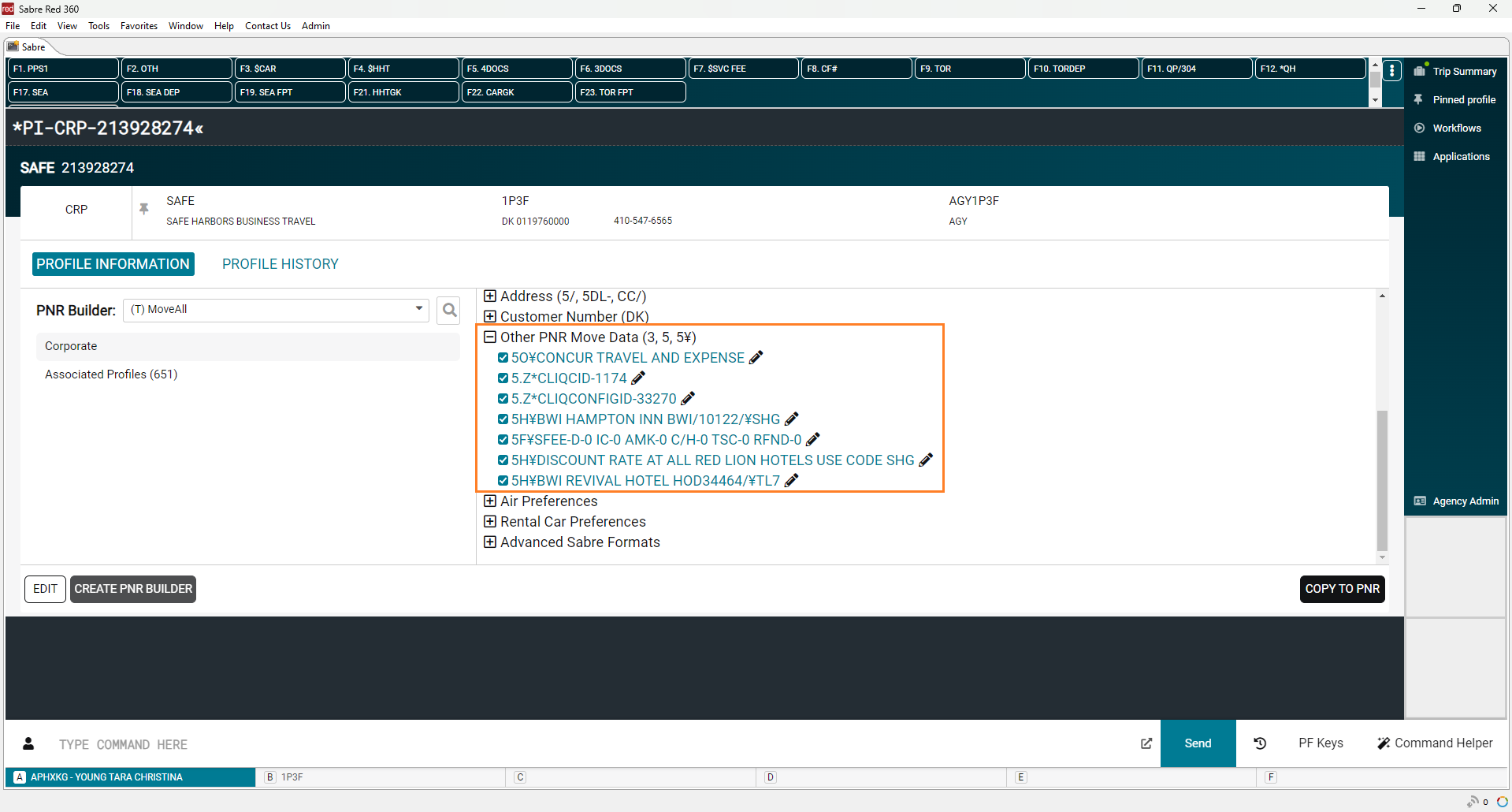
Sabre Profiles gives each profile an ID, which is stored in the *PI section in the PNR. The profile remarks we used with Sabre Stars are no longer necessary, so we need to remove them.
We have a QC routine in Compleat that removes the remarks from our PNR's, and sends us an email will to remove it from the corporate profile. That is what we will do here.
- Pull the record locator from the email:
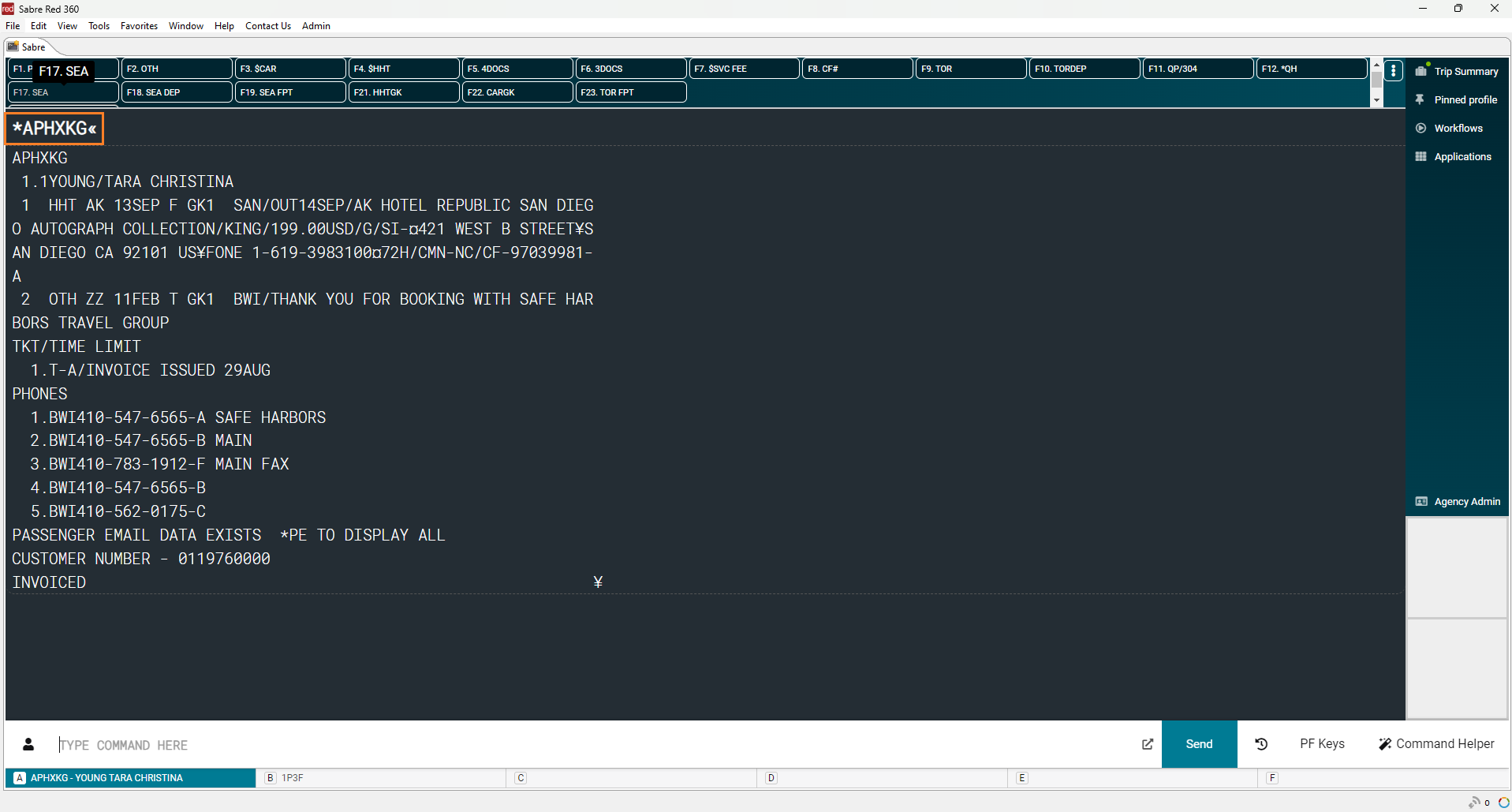
- "Magnatech Sabre profile update required. V Cross lines removed from Record Locator APHXKG"
- Pull up the PNR in Sabre.
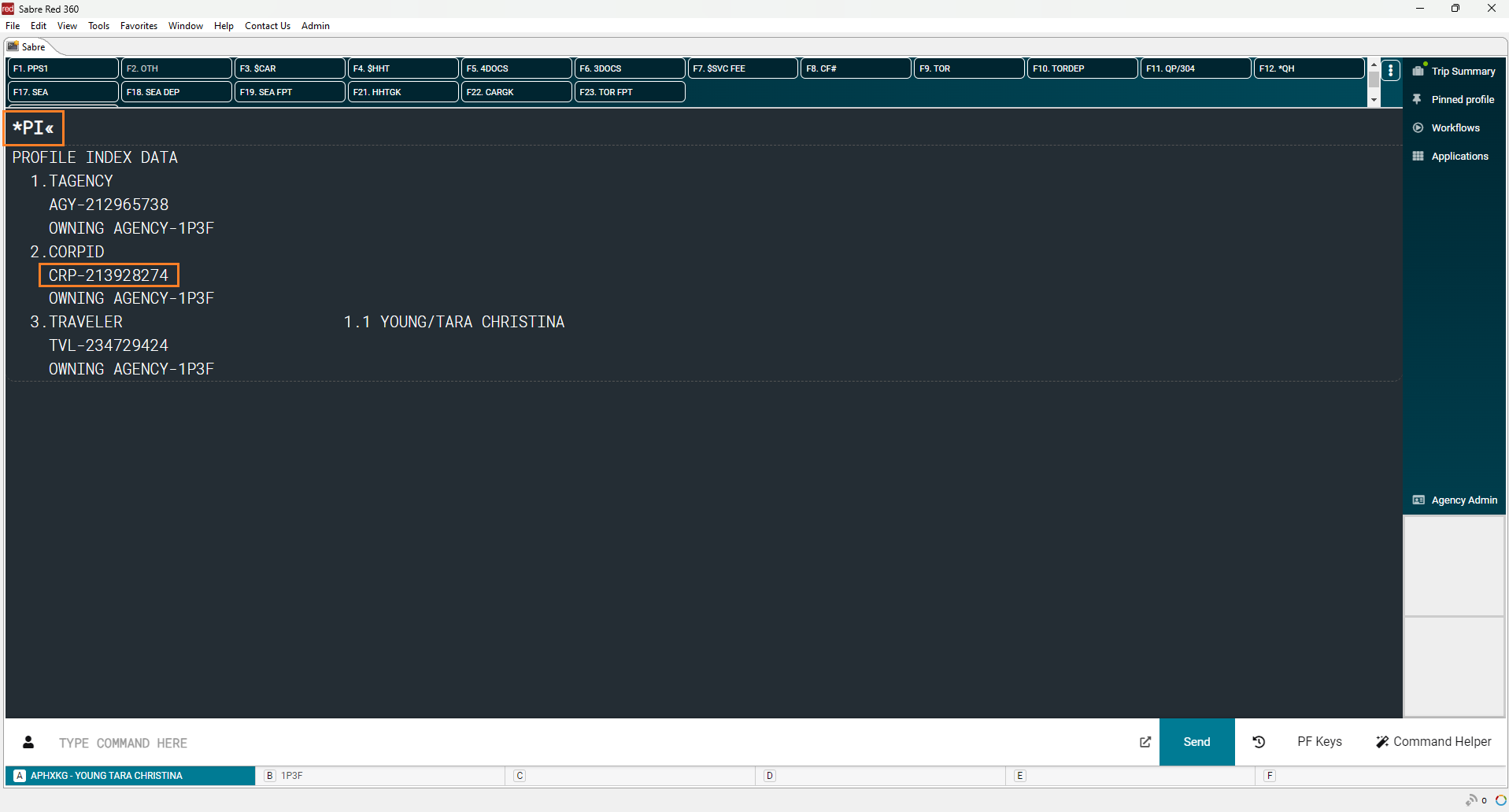
- Check the Profile Index (*PI) for the corporate profile ID. The ID will follow CRP-.
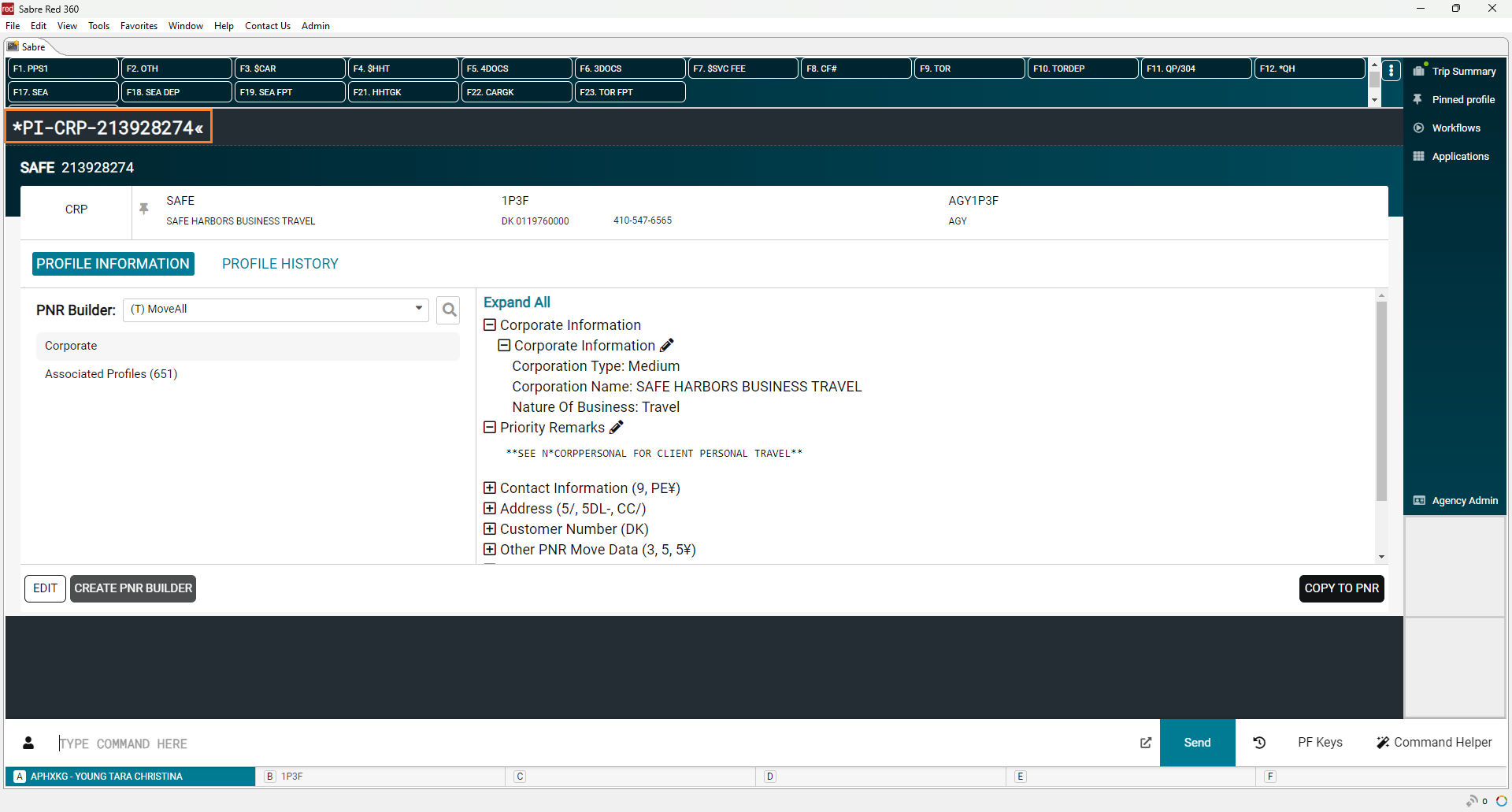
- Enter *PI-CRP-[ID] to display the corporate profile.
- Expand the Other PNR Move Data section, and look for a 5V#2- remark.
- When found click the pencil icon, clear out the remark text and click Save.
- Done! The Other PNR Move Data is now free of 5V#2- remarks.