
Magnatech tracks every ticket issued in our managed pseudo-cities. Three days after the last travel date, Magnatech checks the ETR of each ticket for OPEN segments. If OPEN segments are found the status in the database is changed to OPEN and the ticket appears on the client's unused ticket report. Occasionally tickets are discovered to have no value or status other than what's reflected in the database. In this case, the records will need to be updated manually.
Steps to complete:
- Log into Magnatech's Web Portal: https://webportal.magnatech.com/?action=login
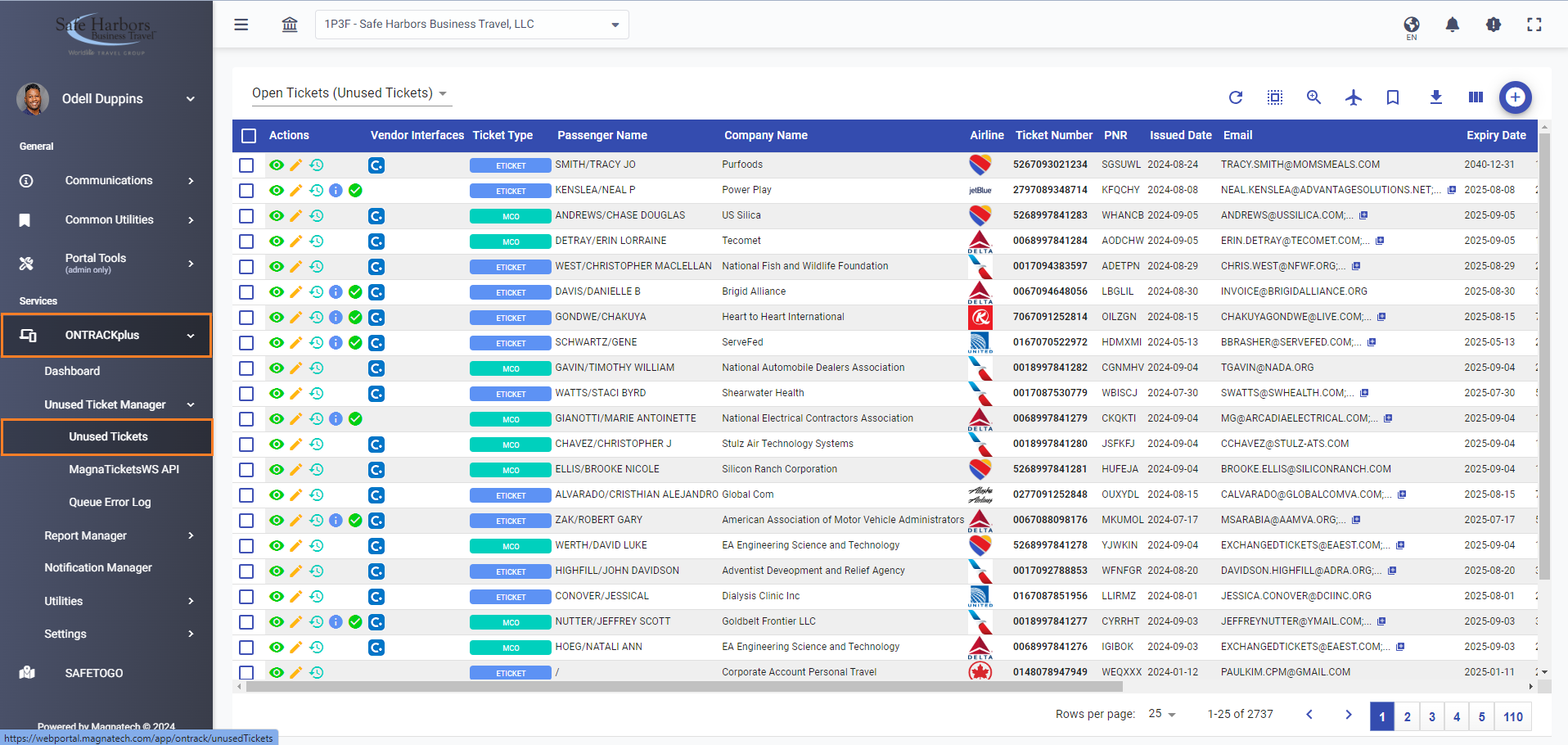
- Expand ONTRACKplus
- Expand Unused Ticket Manager
- Click Unused Tickets
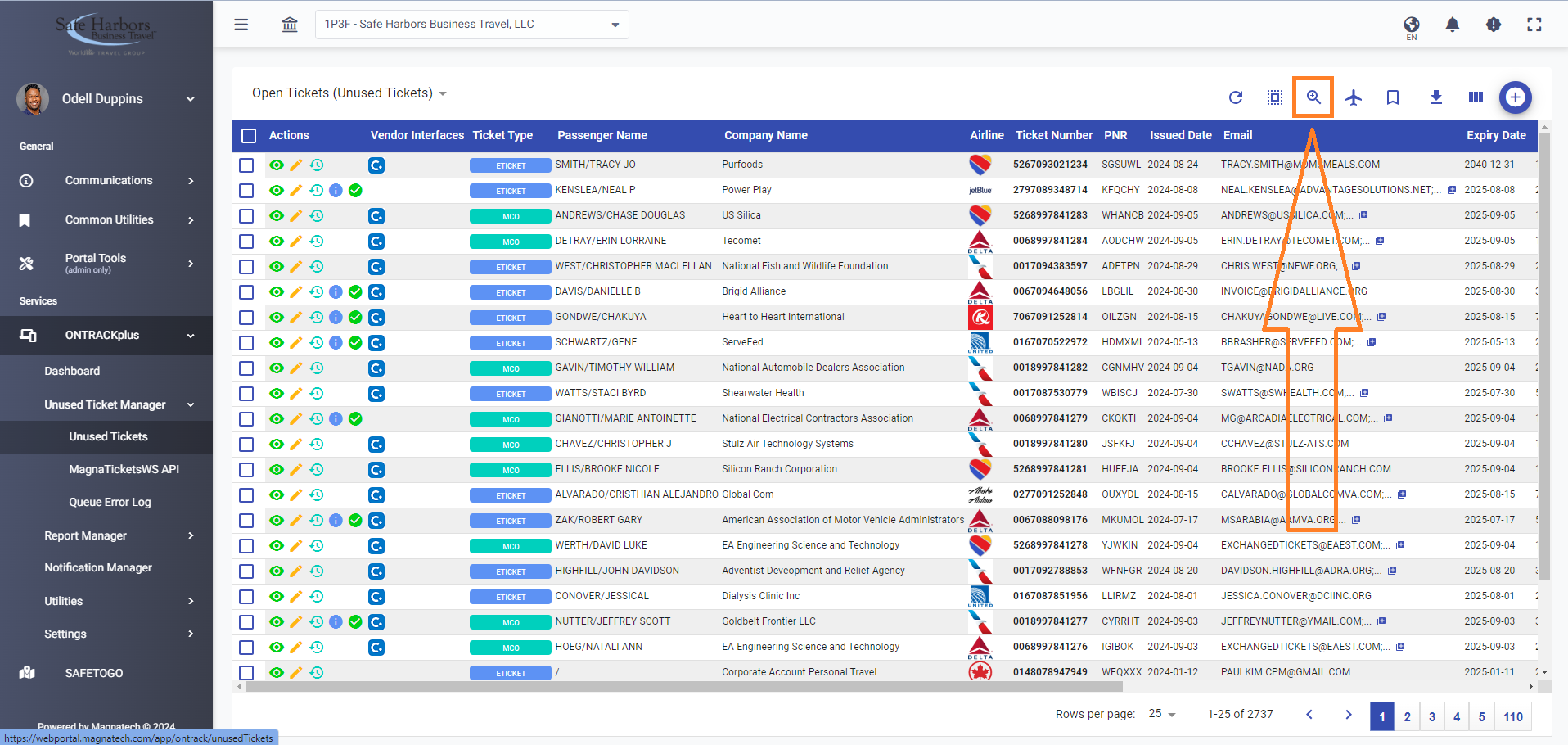
- Click the magnifying glass icon to search for the ticket by the details provided in the request.
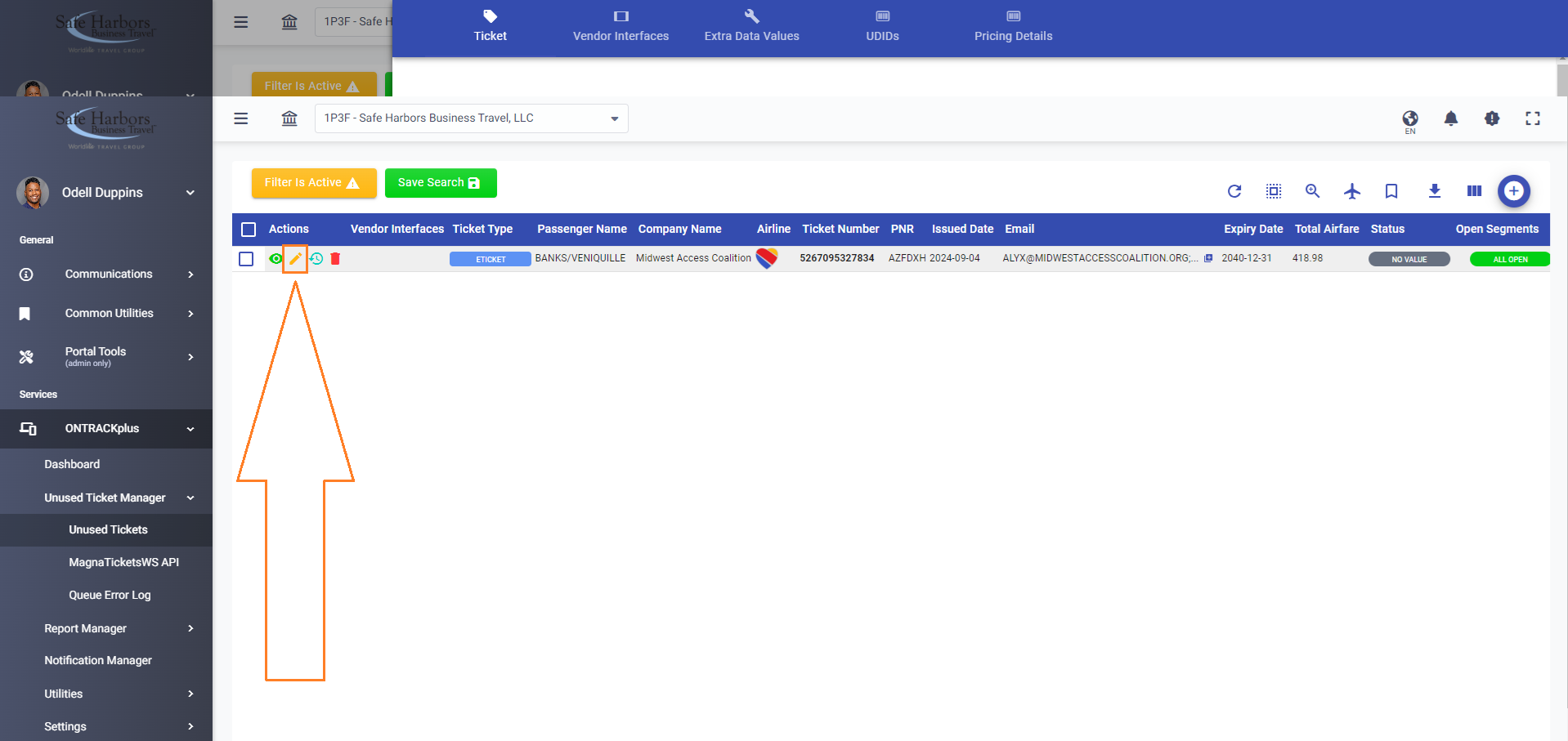
- When found, click the pencil icon to edit the ticket record.
- Change the Status in the Ticket Status section accordingly, and click Update Ticket.
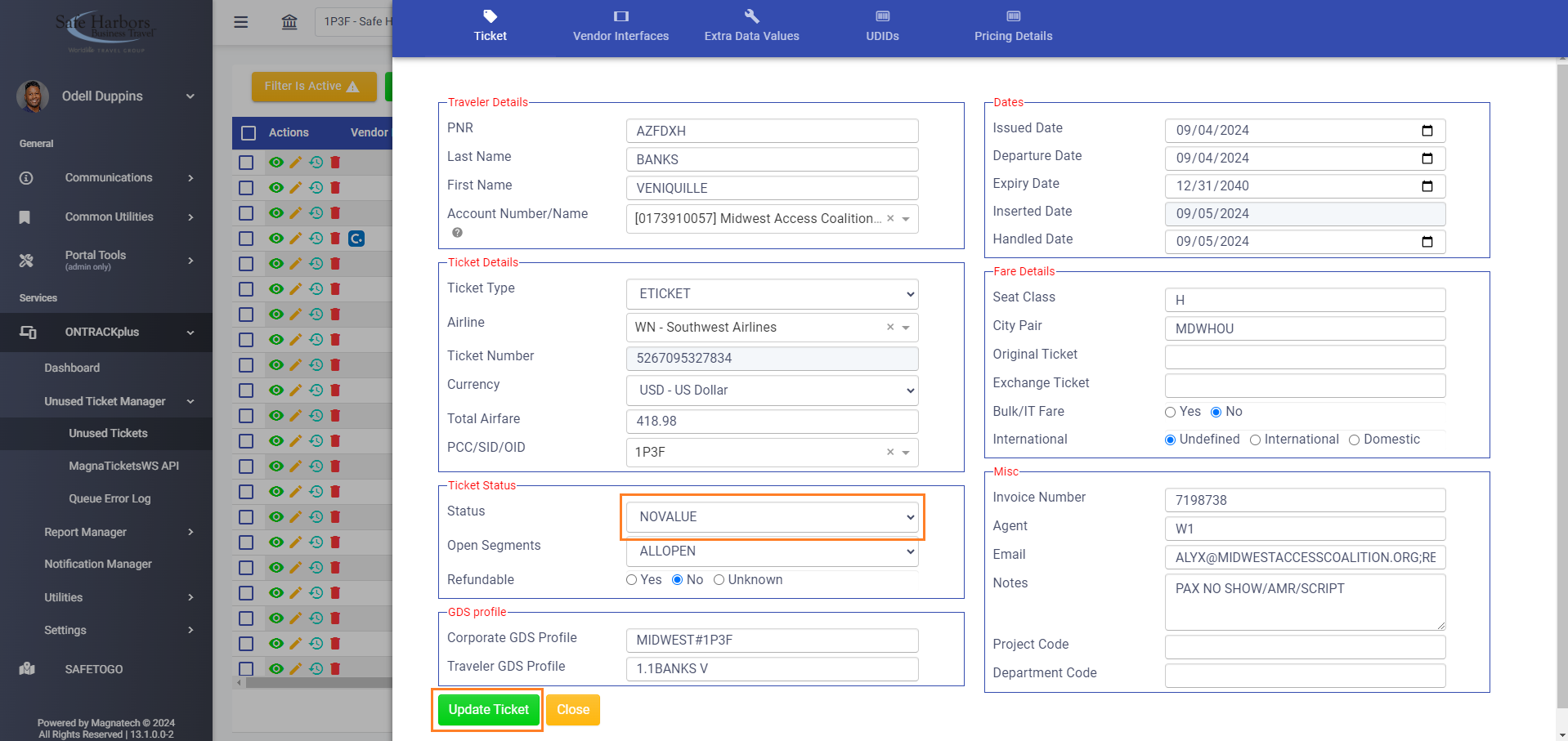
- Magnatech will automatically update Sabre, Concur, etc with the latest information in a few hours.