
- Log into Magnatech’s Web Portal: https://webportal.magnatech.com/?action=login
- Expand ONTRACKplus
- Expand Unused Ticket Manager
- Click Unused Tickets
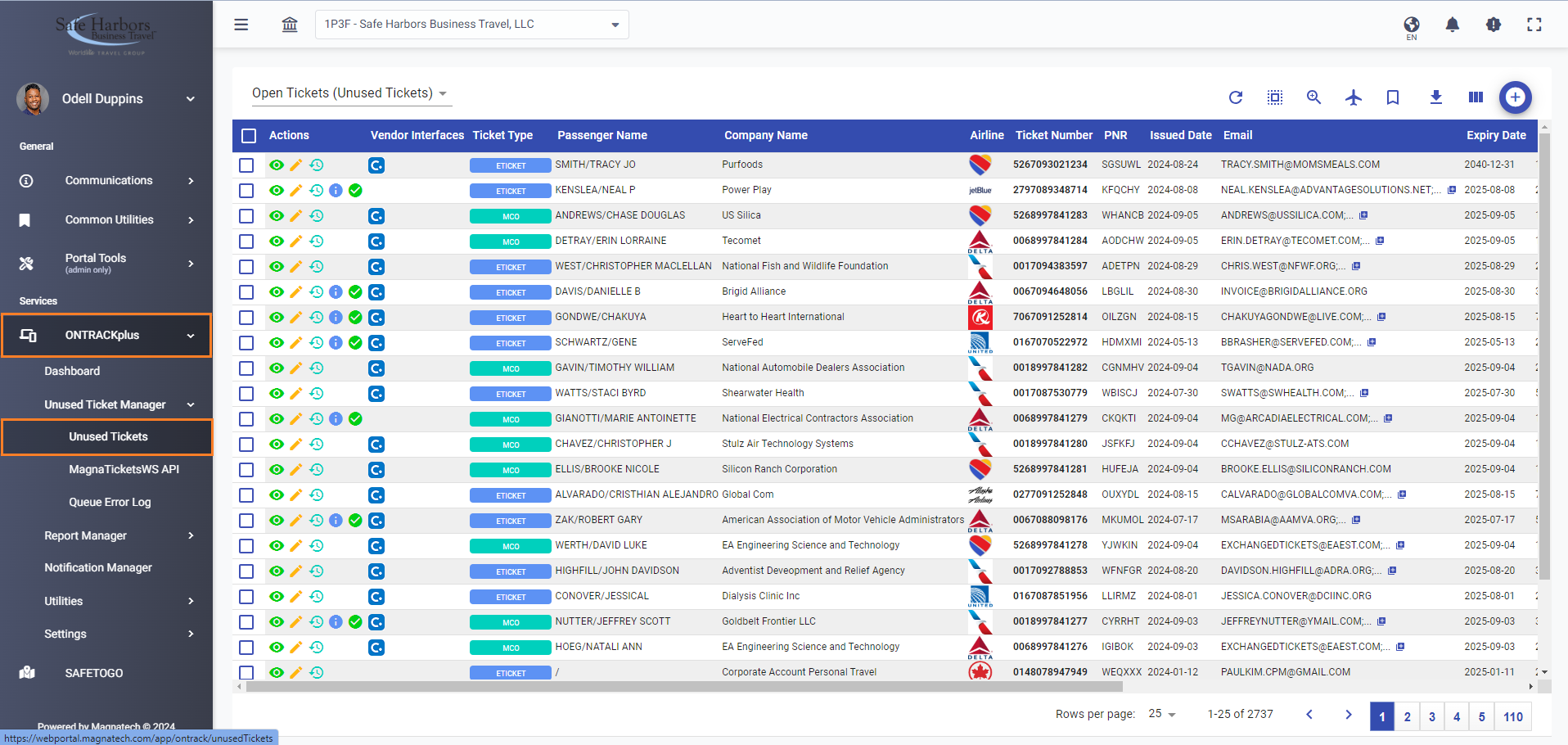
- Change the filter at the top above the table to show Open/Handled Tickets. This will reveal all tickets in the database.
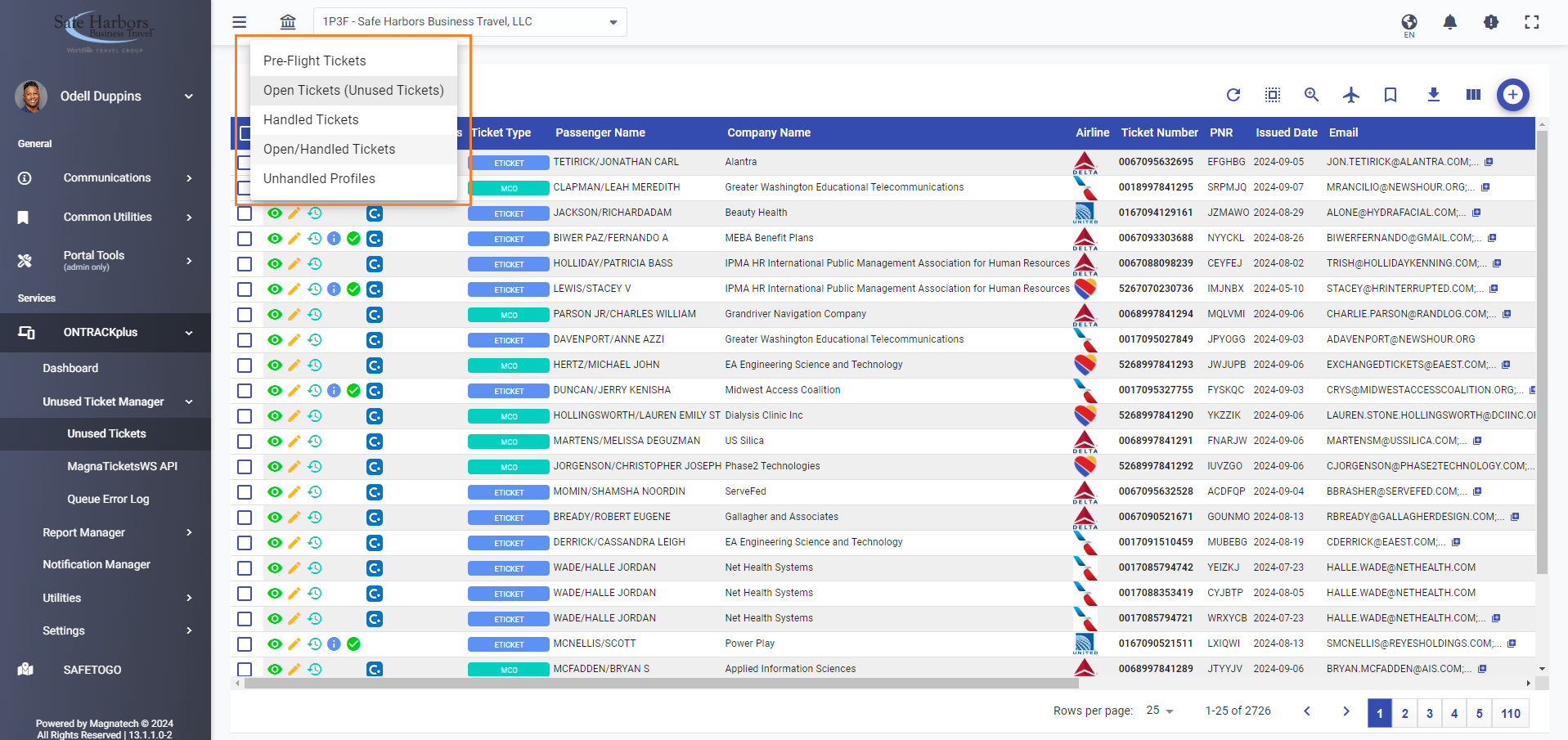
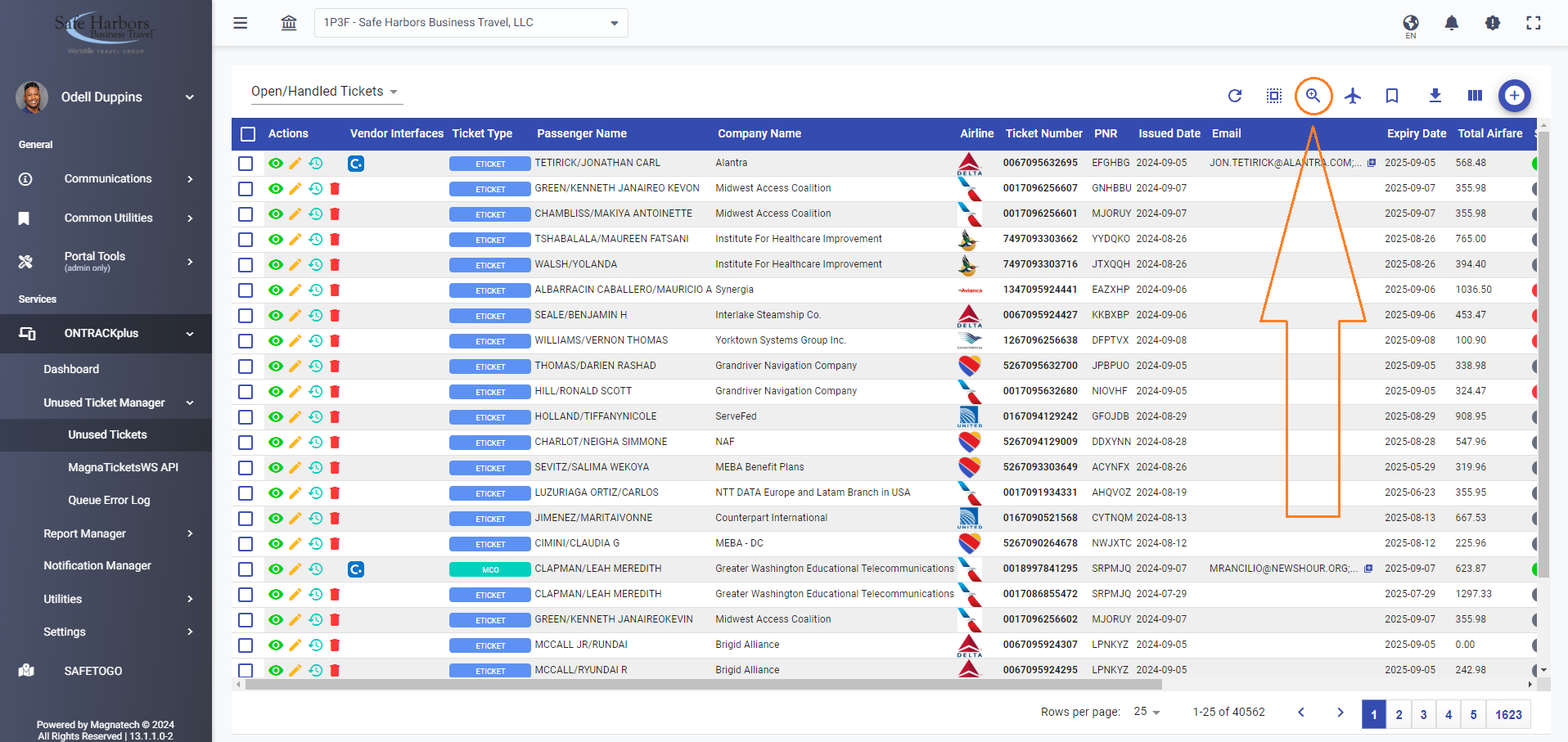
- Use the magnifying glass to search for each ticket record that failed. Each row is a single record.
- Combine the PlatingNumber + ControlNumberto get the full ticket number.
- Use the full ticket number to locate the ticket in Magnatech.
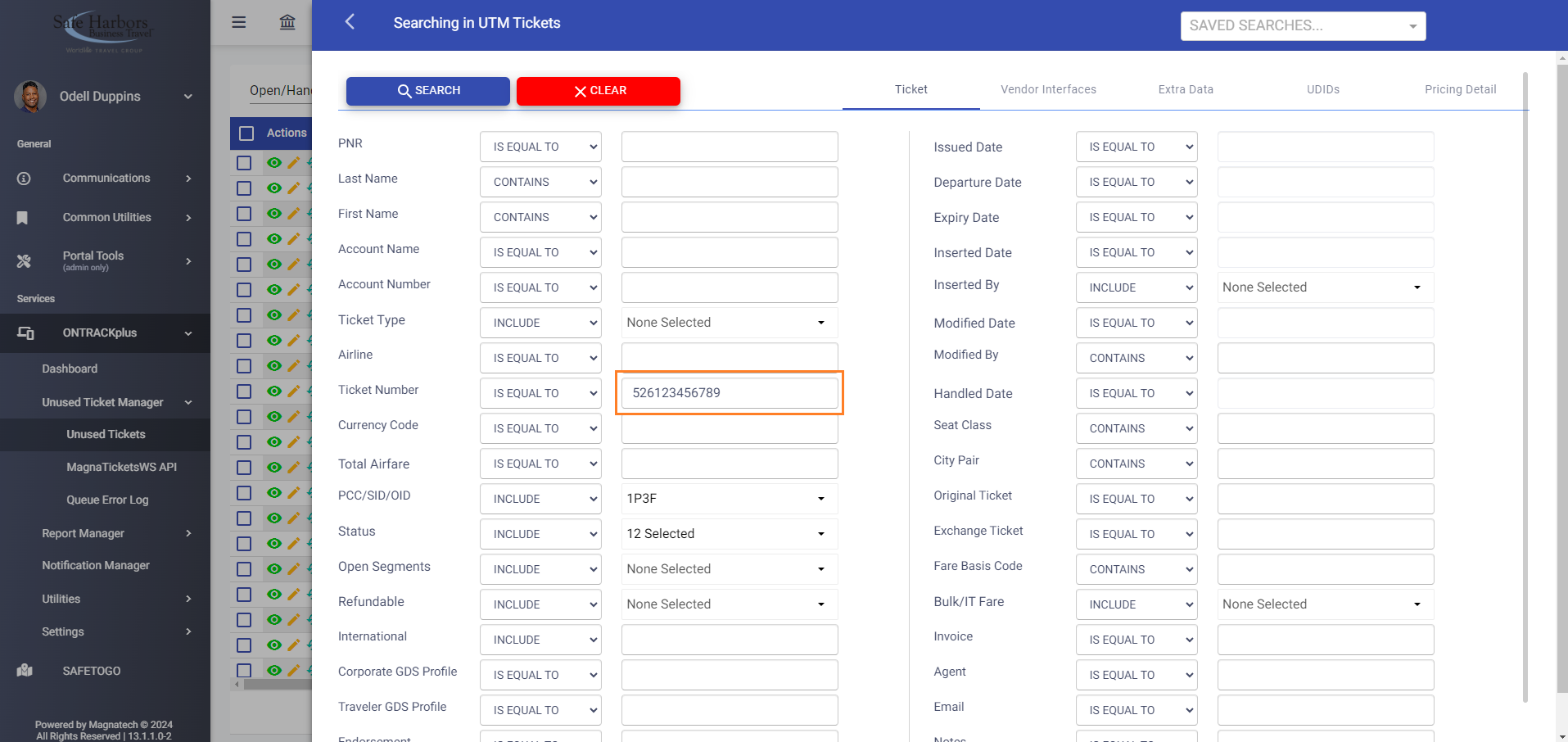
- Use the full ticket number to locate the ticket in Magnatech.
- Switch to the Vendor Interfaces tab to reveal the CliqCID and CliqUserID for each ticket.
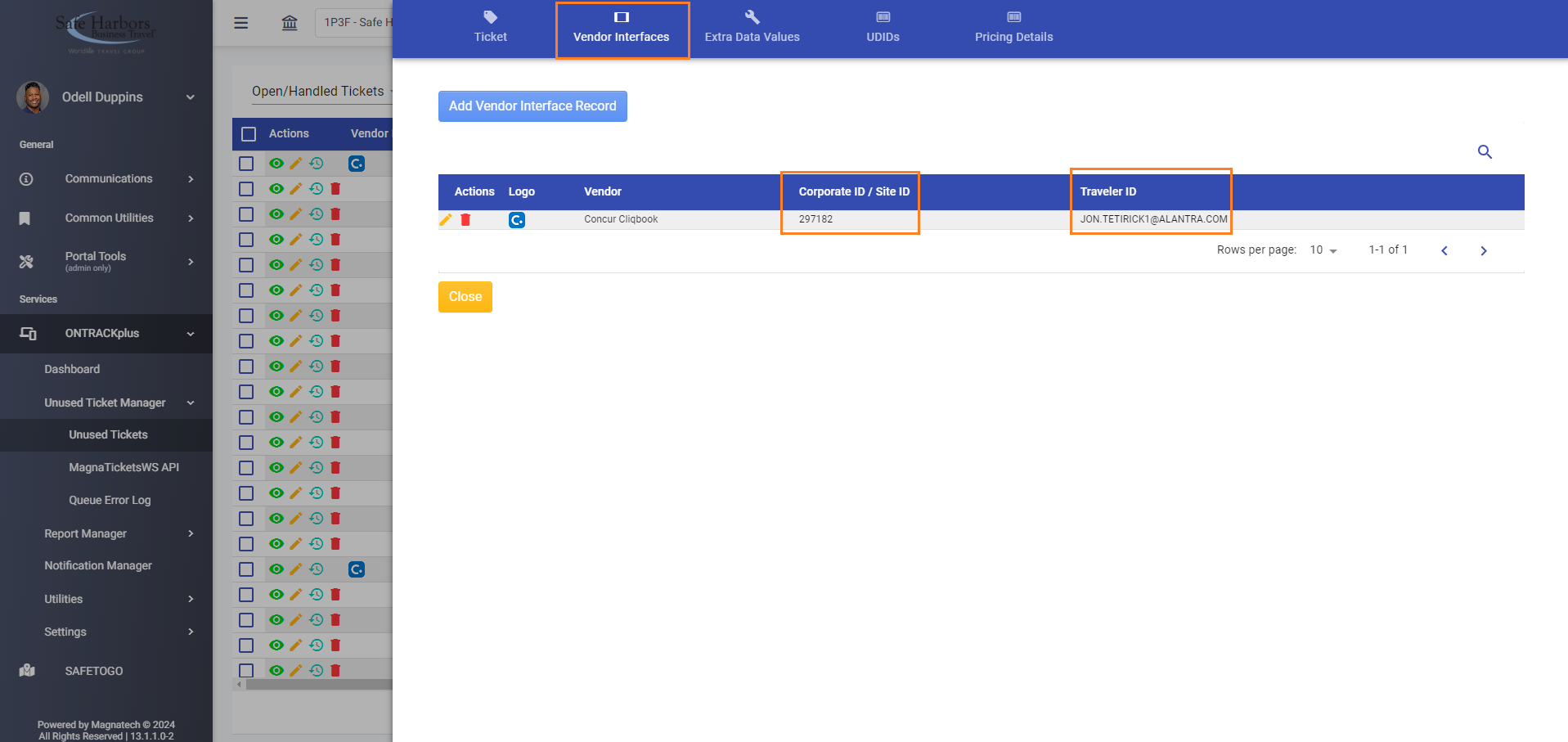
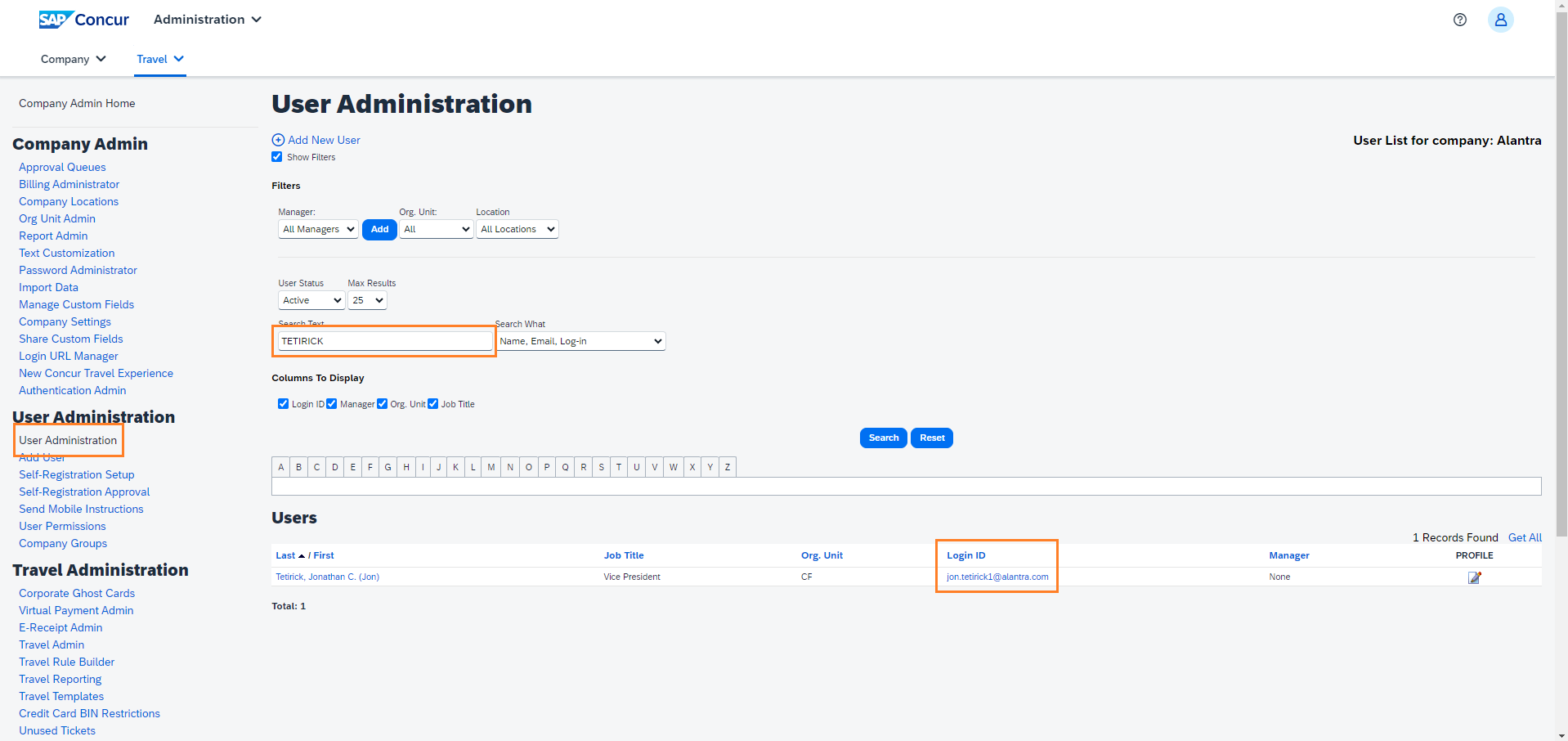
- Check the User Administration page in SAP Concur Travel to validate the information in the record and update the vendor interface in Magnatech to match what is in SAP Concur Travel.
- TIP: The Error field tells what SAP Concur Travel reported the issue to be:
- “Error=BadLoginId” – means there was not a matching profile. We need to validate the stored information and update whatever is incorrect.
- "Error=Company ID does not belong to the Agency" - means the Concur site is no longer in our control [former account]). There is nothing we need to do with these.
- The Vendor Interfaces > Traveler ID field needs to match the traveler's Concur Login ID.
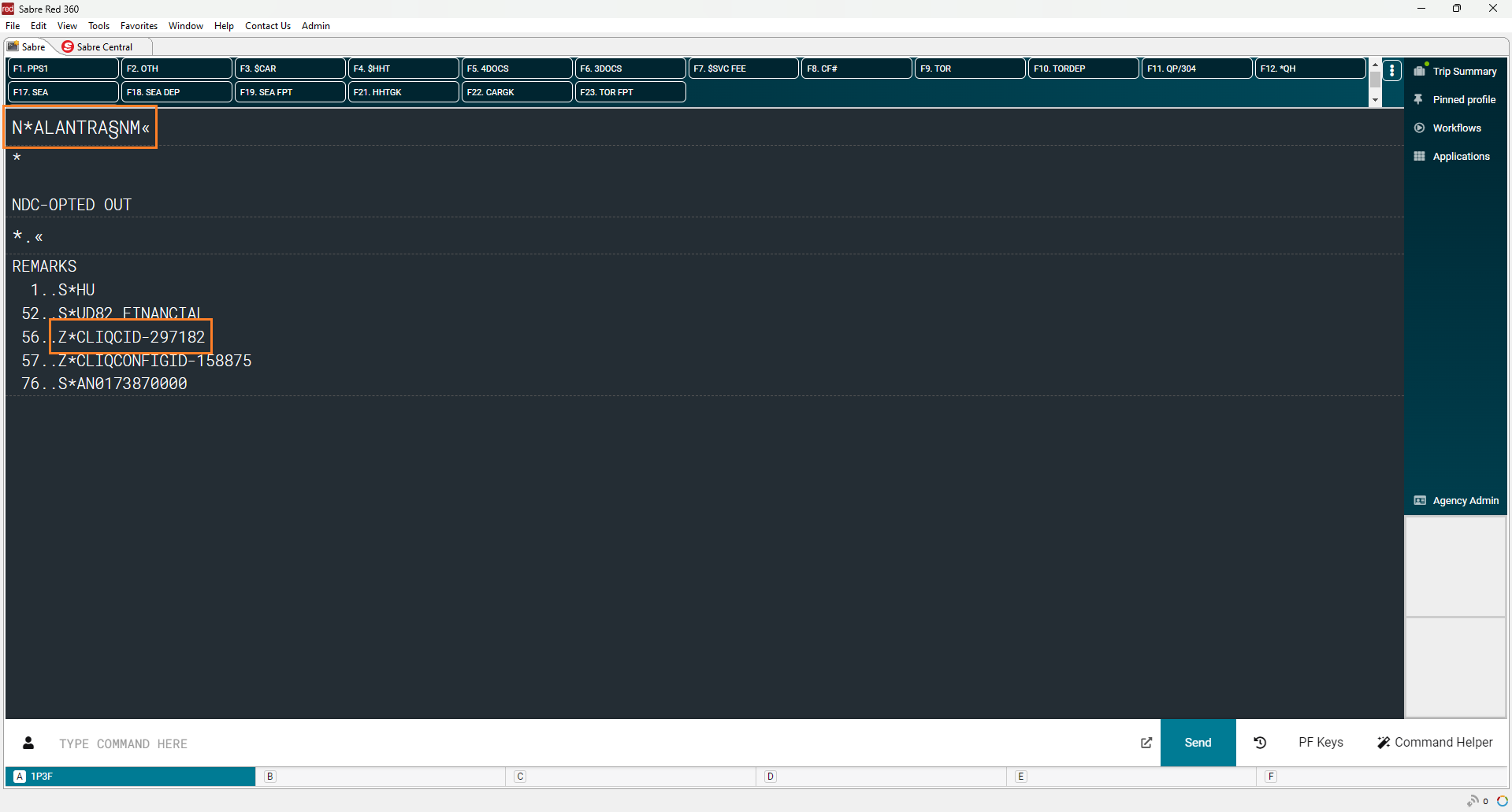
- The Vendor Interfaces > Site ID field needs to match the accounts CLIQCID.
- TIP: The Error field tells what SAP Concur Travel reported the issue to be:
Magnatech ONTRACK - Concur Unused Ticket Import Failures Print
Created by: Odell Duppins
Modified on: Sun, Sep 8, 2024 at 10:52 PM
Did you find it helpful? Yes No
Send feedbackSorry we couldn't be helpful. Help us improve this article with your feedback.