
- We use FedEx for all shipments. You can find the login inside the Shared-Technology folder in Keeper.
- Access the FedEx Ship Manager via this URL: https://www.fedex.com/shipping/shipEntryAction.do?method=doEntry&link=1&locale=en_US&urlparams=us&sType=F
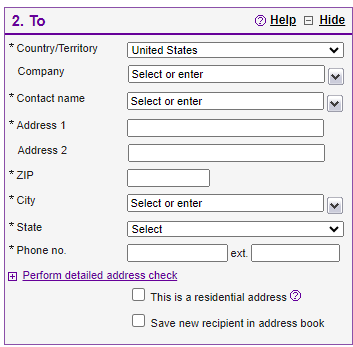
- Enter the Recipient Address inside the Tosection
- Click "This is a residential address" (if applicable)
- Click Perform detailed address check to validate the address and fix an errors
- Click Save new recipient in address book
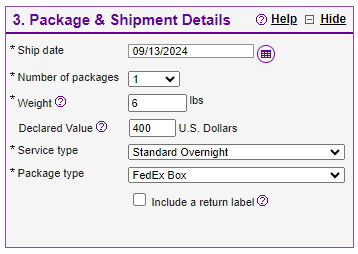
- Enter the Package & Shipment Details.
- HINT: Dell Latitude 3400 value is $400 (in 2024)
- HINT: Dell Latitude 5400 value is $1,000 (in 2024)
- Choose Standard Overnight (arrival by 8pm tomorrow or faster if needed)
- Package Type = FedEx Box
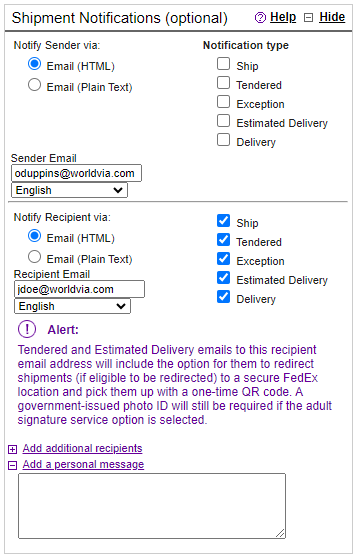
- Turn on Shipment Notifications.
- Enter recipients email address into the Recipient Email field
- Click the checkbox next to Ship, Tendered, Exception, Estimated Delivery, and Delivery.
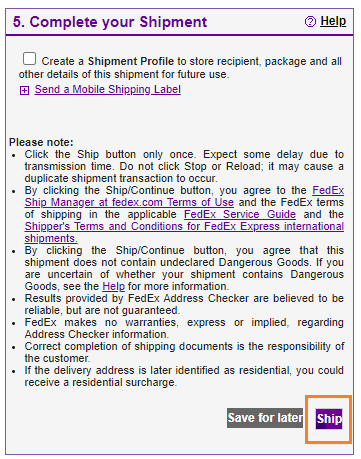
- Click Ship
- Print label(s) and carry along with the laptop to your nearest FedEx location.
- Printing the label in advance saves you time at the counter.
- Give the FedEx employee our account number to cover the box and packing: 177826901
WorldVia Onboarding - Shipping Equipment Print
Created by: Odell Duppins
Modified on: Fri, Sep 13, 2024 at 8:30 PM
Did you find it helpful? Yes No
Send feedbackSorry we couldn't be helpful. Help us improve this article with your feedback.