
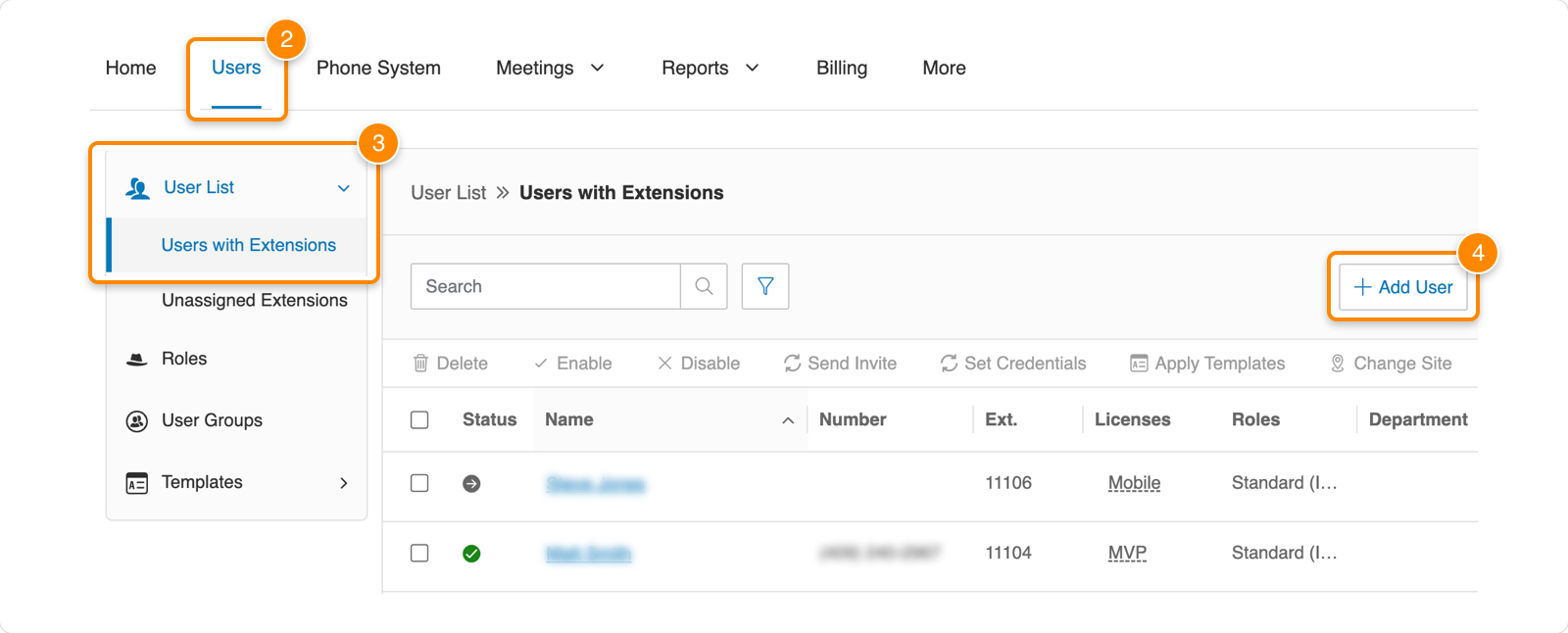
- Go to the Admin Portal and sign in.
- Click Users in the top menu.
- Click the User List dropdown, then Users with Extensions.
- Click Add User.
- Select RingEX User

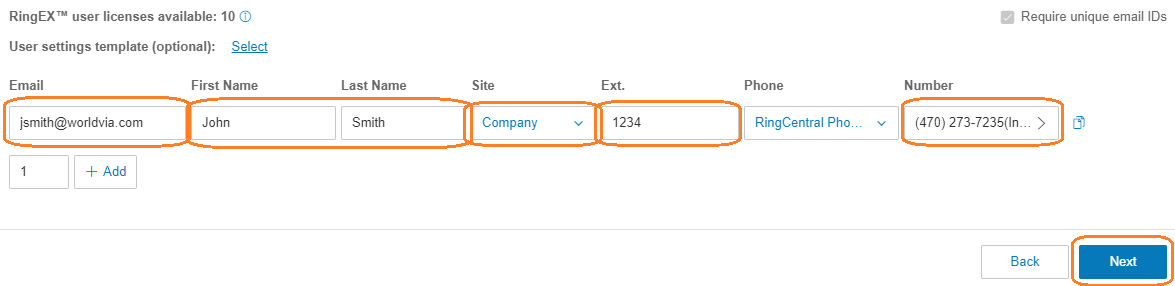
- Enter the user’s email, name, and site. Choose a phone number from the list. The extension number will fill in automatically, but change it to match the last 4 digits of the phone number selected.
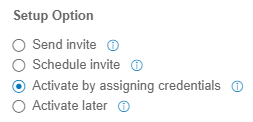
- Select Activate by assigning credentials under Setup Option:
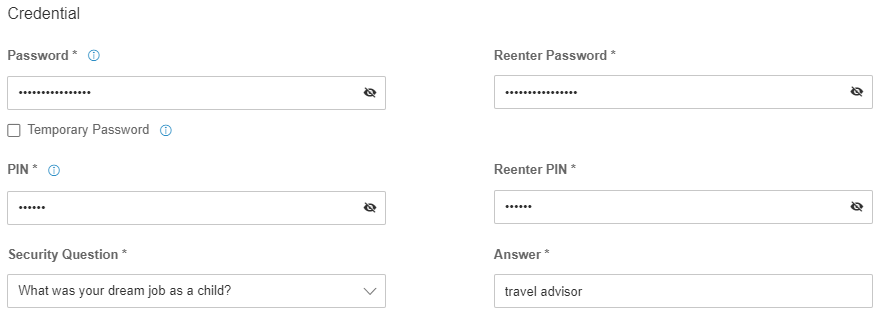
- Enter a password, PIN, security question and answer. Retain this information as you will need to provide it to the new employee.
- Select Assigned Role of (WorldVia Standard International)
 Click Submit
RingCentral - Adding Users Print
Created by: Odell Duppins
Modified on: Thu, Aug 22, 2024 at 3:21 PM
Did you find it helpful? Yes No
Send feedbackSorry we couldn't be helpful. Help us improve this article with your feedback.