How to Assign a Role to a Single User | RingCentral
This article provides information on how to assign a role via the User Details section in the RingCentral Online account.
- Log in to the RingCentral Online account.
- Go to Admin Portal > Users > User list > Users With Extensions.
- Click the User that needs to be assigned to a role.
- Click User Details, then click the Settings & Permissions tab.
- We have preconfigured templates setup for each user type. Click Apply under Template.

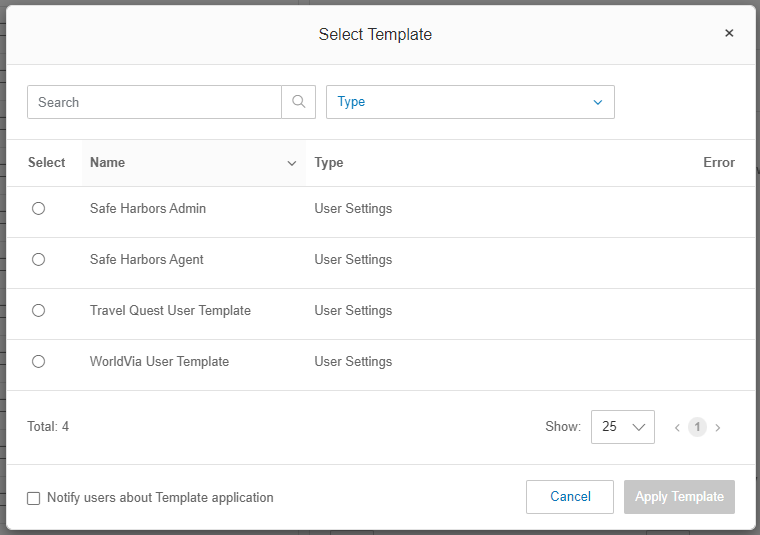
- Select the radio button next to the template based on the users company and role, and click Apply Template: