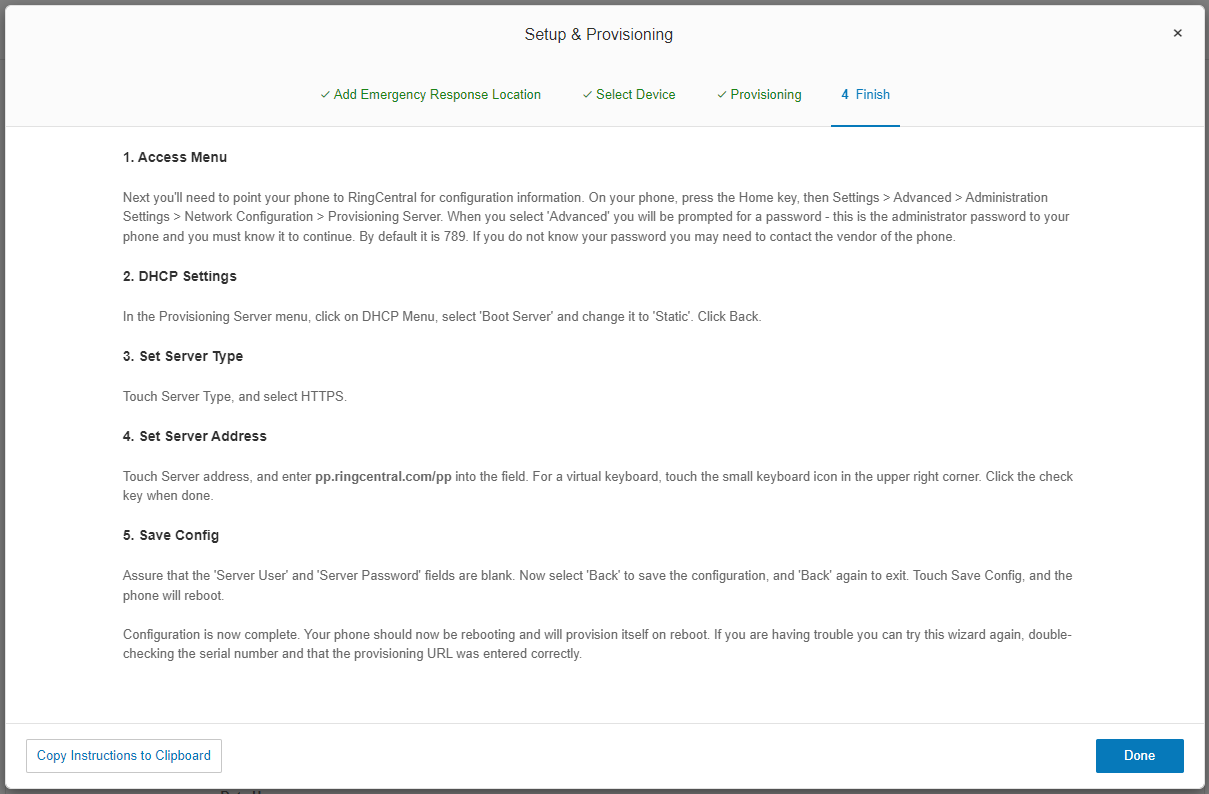
Today most staff members are fine using the softphone as the deskphone requires a direct internet connection. Only if the staff member prefers to use the deskphone is this step required.
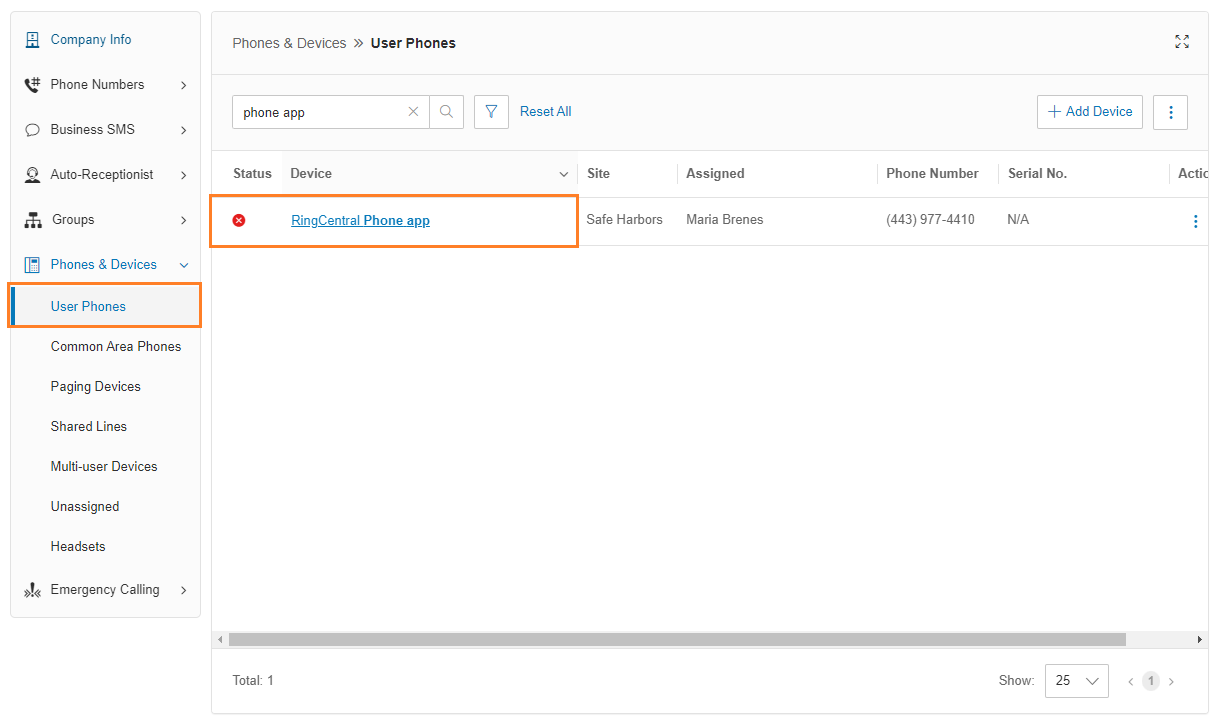
- Go to the Admin Portal and sign in.
- Expand Phones & Devices on the left menu and click User Phones.
- Click on the name of the device that's assigned to the user.
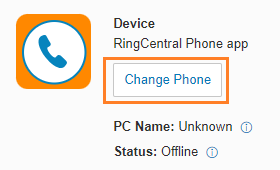
- Click Change Phone:
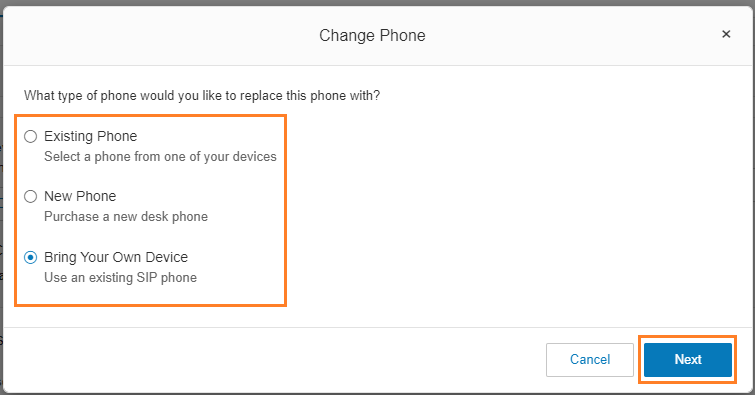
- Follow the prompts in the wizard:
- If the device has already been loaded into RingCentral, choose Existing Phone.
- If the device is a new phone, click Bring your Own Device.
- Use the New Phone option to have RingCentral order and ship a brand new phone to you or the user.
 Choose or add Emergency Response Location: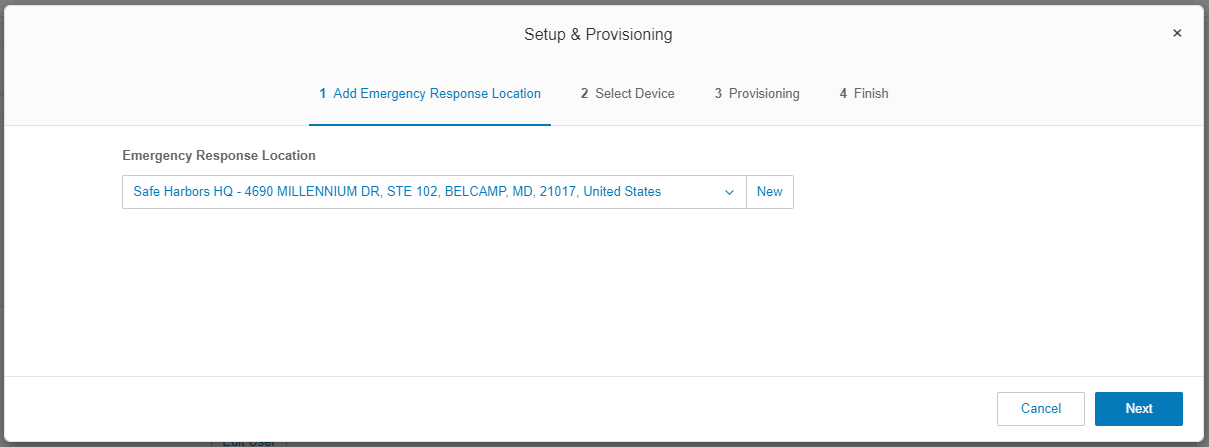
- Enter the device type into the search box:
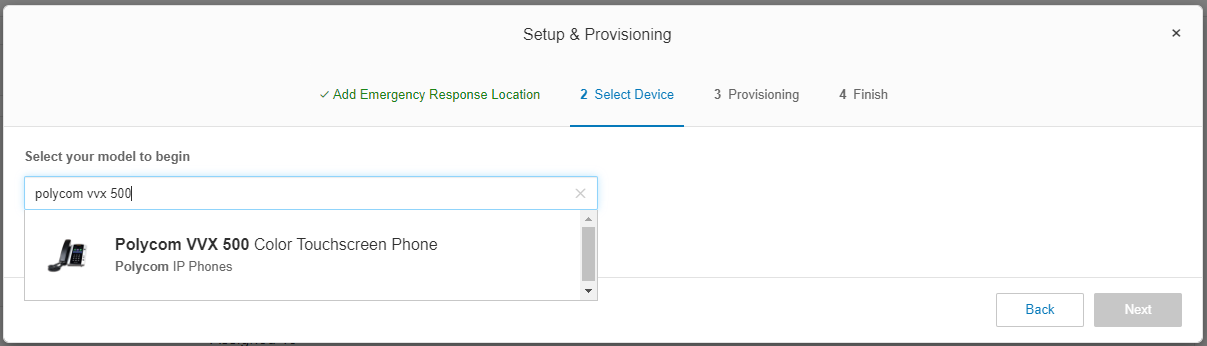
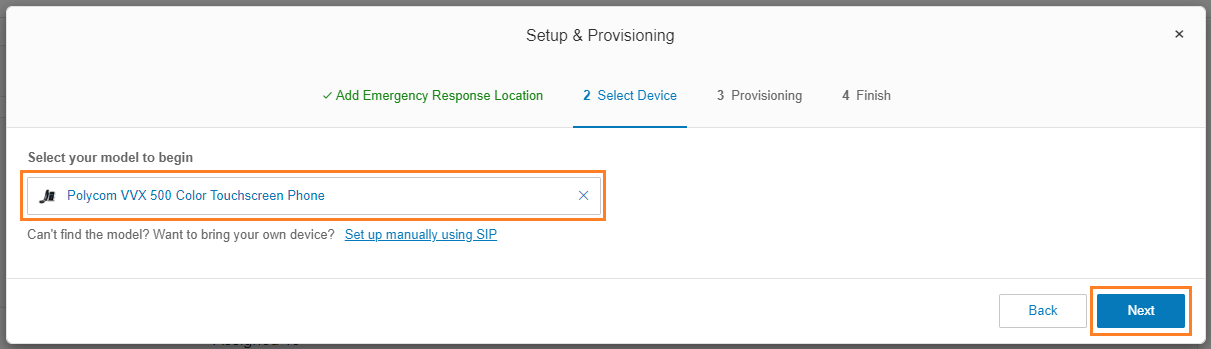
- Select the device and click Next.
- Enter the MAC Address of the phone, and click Next:
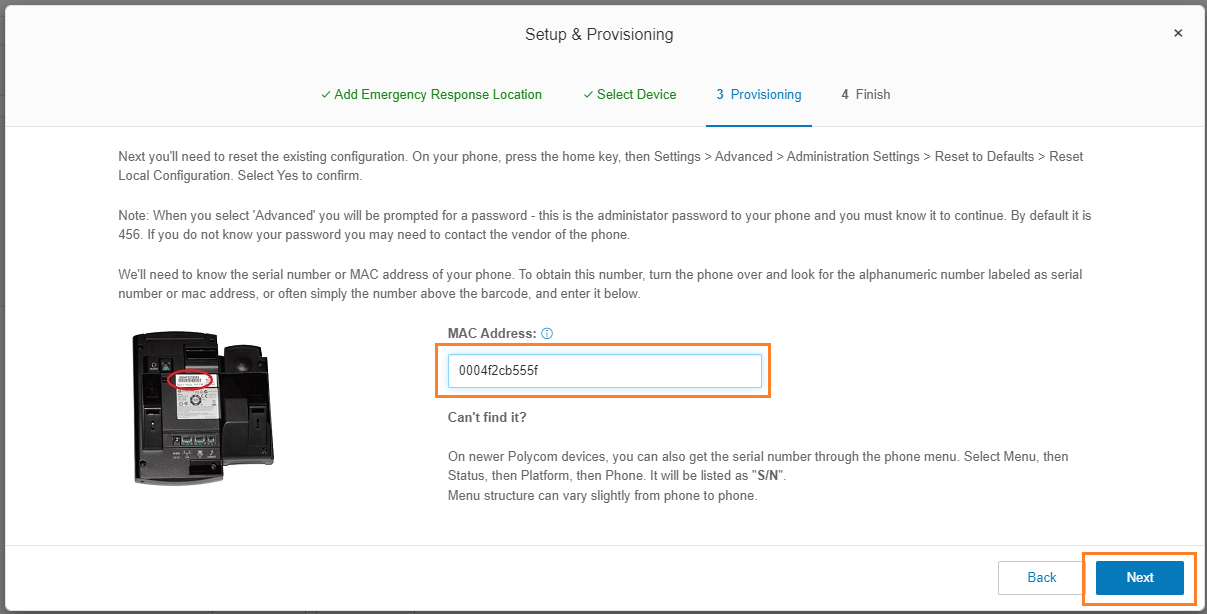
- Follow or forward the instructions to provision the device and click Done.