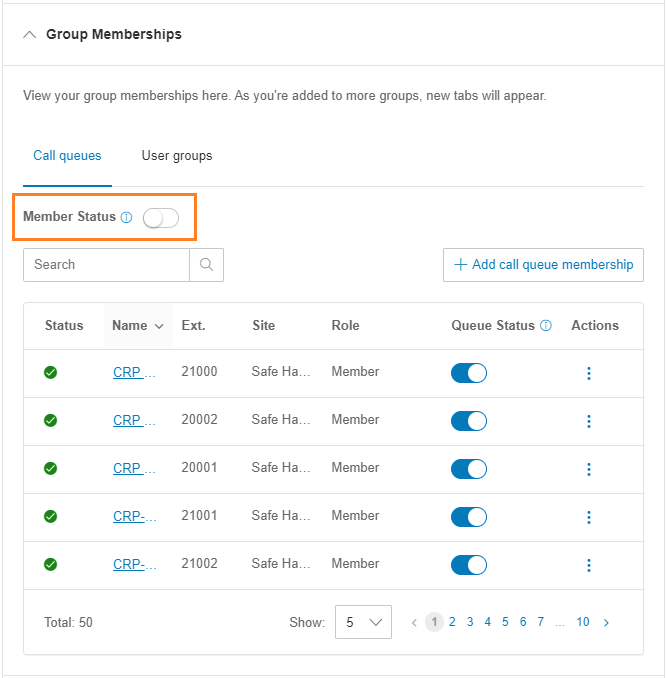
Call queues enable multiple team members to receive calls from a particular client or department queue.
- Go to the Admin Portal and sign in.
- Click Users in the top menu.
- Click the User List dropdown, then Users with Extensions.
- Select the User by Name.
- Expand Group Memberships.
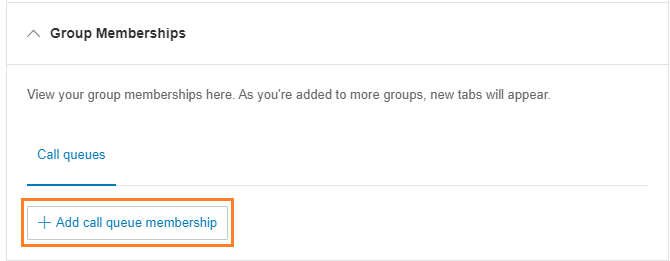
- Click +Add call queue membership.
- Search for the call queue by name, and add a check in the Primary Member box next to the queues to assign to the staff member.
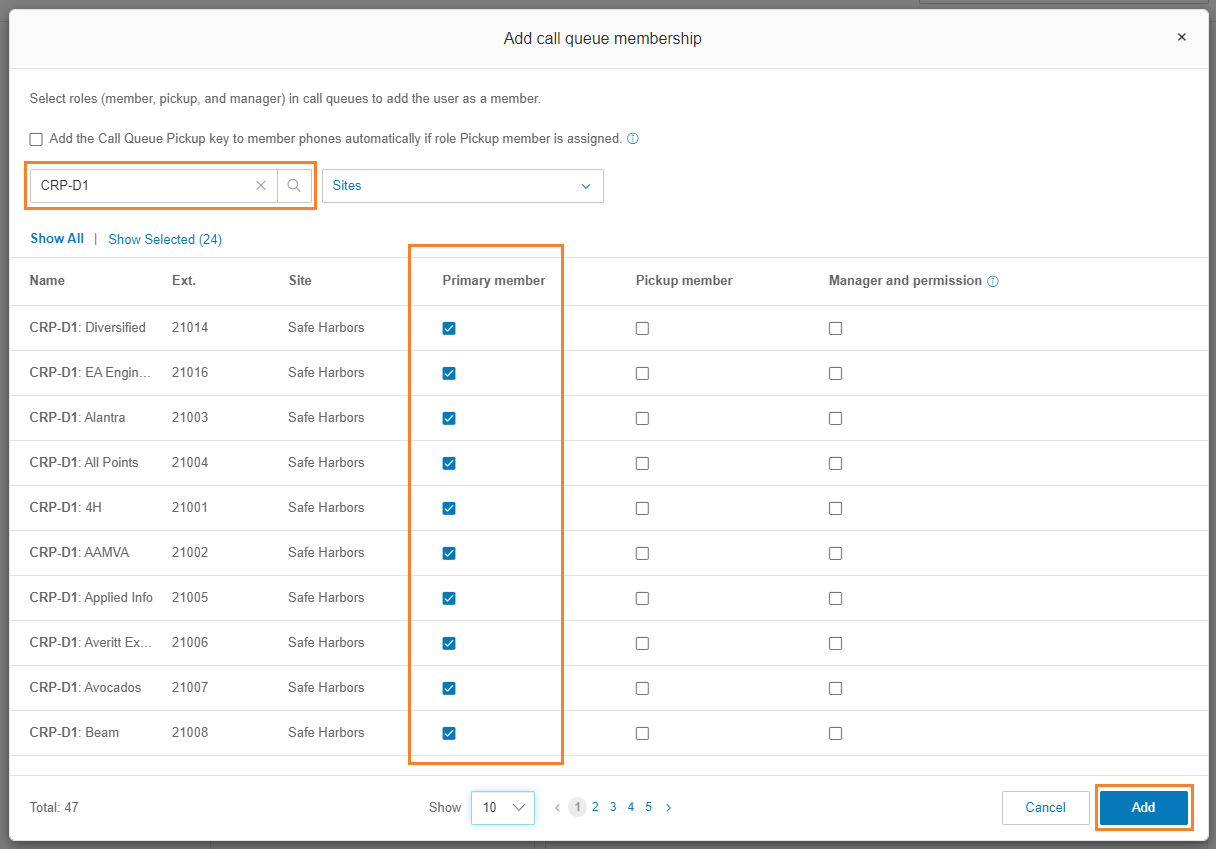
- Click Add.
- Disable Member Status until the team member is ready to accept queue calls. They can enable this in the RingCentral app.